 Yandiya Technology HK Ltd
Yandiya Technology HK Ltd › Blog › Can Smart Infrared Heating Panels Be Controlled Remotely With a Smartphone?
← All articlesCan Smart Infrared Heating Panels Be Controlled Remotely With a Smartphone?

Key takeaways
- Smartphone control requires a connected thermostat, relay, hub, or native smart panel; the infrared panel alone may not provide internet access.
- Yandiya’s public brochure describes Wi-Fi, Zigbee, programmable controls, and smartphone access, but it does not provide enough model-level information to guarantee compatibility for every panel.
- Compatibility depends on voltage, current, relay type, wiring, thermostat logic, and whether the controller is rated for resistive electric heating loads.
- Remote access normally depends on power, Wi-Fi, internet service, app availability, user accounts, and cloud-service operation.
- Local thermostat control may continue during an internet outage, but this must be confirmed for the selected system.
- A qualified electrician should verify circuit protection, load ratings, wiring, mounting, and local electrical-code compliance.
- Yandiya’s advertised energy-savings percentage should not be treated as a universal or independently verified result without supporting test methodology.
- Dimplex’s 500-device hub capacity applies to Dimplex’s system only and is not a benchmark for Yandiya products.
- Buyers should clarify privacy, two-factor authentication, cloud dependence, subscriptions, warranty coverage, app support, and replacement procedures before purchasing.
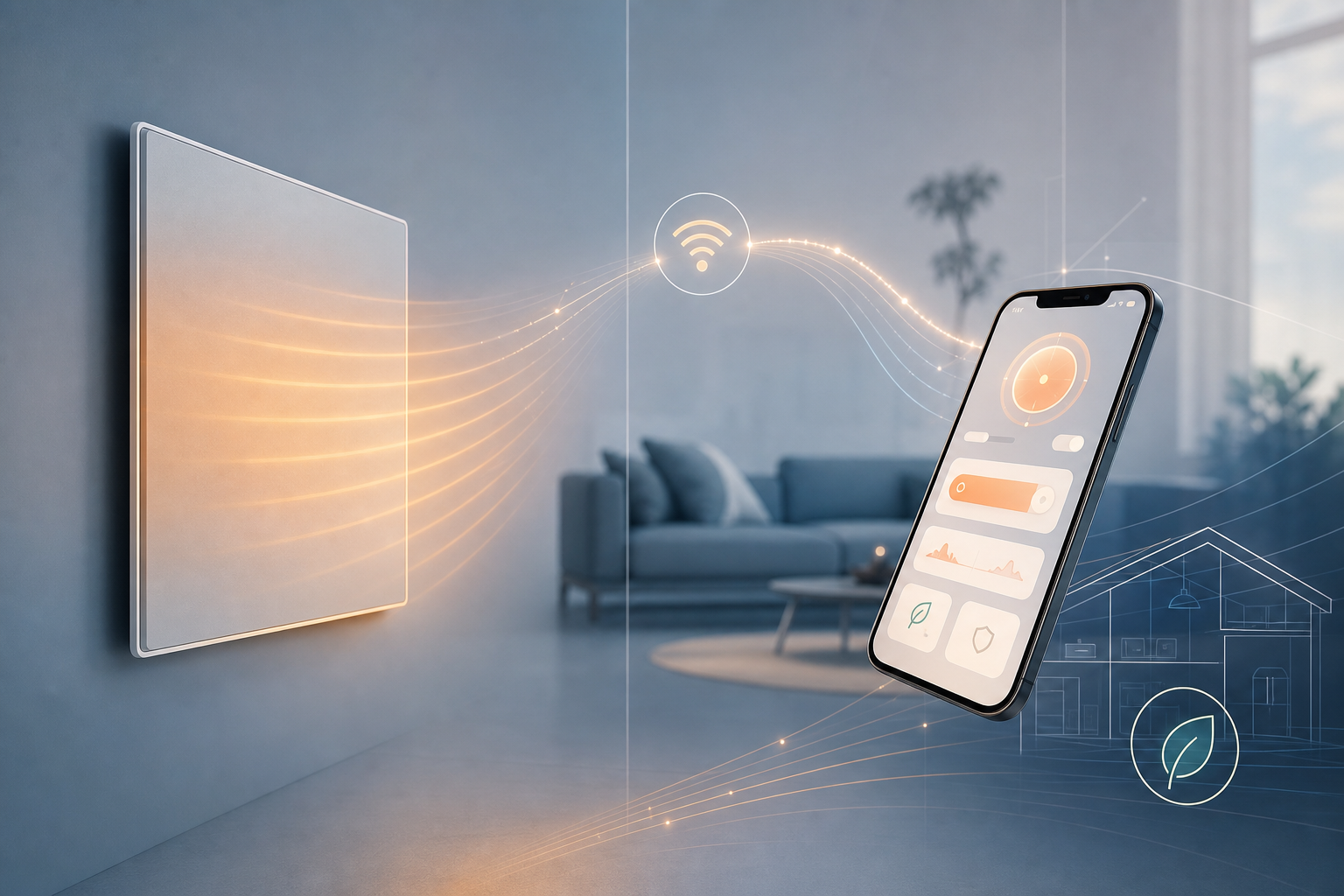
Smart infrared heating panels can be controlled remotely with a smartphone if the heating system includes a compatible connected controller. “Smart” may mean a panel with native Wi-Fi, an internet-connected thermostat switching a relay, or a third-party hub that connects thermostats, sensors, and heating controls. The panel itself is not necessarily internet-enabled.
For Yandiya systems, the company’s 2025 brochure describes Wi-Fi thermostats, Zigbee equipment, programmable controls, and smartphone or tablet access. However, the brochure does not identify exact controller model numbers, a named app, supported electrical ratings, regional availability, or a complete compatibility table. Buyers should therefore confirm the precise panel-and-controller combination before ordering. (yandiya.net)
How smartphone control works
A typical installation has four parts:
1. Infrared panel: The resistive electric heating element that produces radiant heat.
2. Thermostat or temperature sensor: Measures the room temperature and compares it with the target setting.
3. Relay, actuator, or control module: Switches or regulates power to the heating circuit.
4. Wi-Fi, Zigbee, or other hub and app: Connects the local heating controls to the user’s smartphone.
The app sends a command through the internet to the thermostat or hub. The controller then changes the heating state or setpoint. In a zone-based installation, each room may have its own sensor and switching device, or several panels may be grouped under one thermostat.
This is different from a panel with native integrated controls, where the Wi-Fi electronics are built into the heater. With an externally controlled panel, the controller—not the infrared element—provides the smartphone connection.
Does an infrared panel need built-in Wi-Fi?
No. A panel can be controlled remotely through an external smart thermostat, relay, or hub, provided the equipment is designed to work together.
The most important distinction is whether the controller is switching a suitable resistive electric load. Compatibility depends on factors such as:
- Panel voltage and phase configuration.
- Panel wattage and running current.
- Total load connected to one relay or actuator.
- Relay type, including whether it is rated for the required continuous load.
- Thermostat output and control logic.
- Wiring arrangement and whether neutral, live, low-voltage, or dedicated control wiring is required.
- Whether the system uses on/off switching, proportional control, or another method.
- Local electrical-code requirements.
A thermostat designed for a low-voltage heat-pump or boiler control circuit should not automatically be assumed suitable for directly switching a mains-powered infrared panel. The supplier or installer should confirm the wiring diagram and load rating for the exact installation.
Dimplex provides a separate example of hub-based control. Its Smart Climate System says it can control infrared panels and other electric heating equipment through sensors, controllers, a hub, and the Energy Control app. Dimplex also states that up to 500 devices can be managed by one Smart Climate Hub. This is a Dimplex system specification, not evidence that a Yandiya installation can support the same number of devices. (dimplex.eu)
What can a smartphone app control?
Depending on the controller and app, users may be able to:
- Change a room’s target temperature.
- Turn a heating zone on or off.
- Create daily or weekly schedules.
- Set an away, eco, or frost-protection temperature.
- Control separate rooms or groups of panels.
- View the current room temperature.
- See whether a zone is calling for heat or is switched on.
- Receive alerts or share access with other users, if supported.
“Heat monitoring” should not be treated as a precise technical term. It could mean room-temperature monitoring, panel or relay status, heating runtime, estimated energy use, or another calculated value. Yandiya’s brochure refers to “energy or heat monitoring,” but the public material reviewed here does not define the measurement method, sensor data, accuracy, or whether electricity consumption is measured with a dedicated meter. Treat this feature as controller-dependent and ask for a technical description before relying on it for energy accounting. (yandiya.net)
ENERGY STAR lists remote control, scheduling, geofencing, and temperature or equipment-use data as common smart-thermostat features, but it also notes that features vary by product. Those features should not be assumed to exist in every infrared-heating app. (energystar.gov)
What does Yandiya specifically claim?
Yandiya’s 2025 brochure describes a smart-control range including:
- Wi-Fi thermostats.
- Zigbee gateways or related Zigbee controls.
- Temperature and humidity sensors.
- Manual and programmable thermostats.
- Smartphone and tablet access through an app.
- Independent control of panels or zones.
The brochure describes smartphone access “from anywhere in the world.” That is a manufacturer marketing claim, not independent validation. In practice, remote access would normally depend on electrical power, a functioning local Wi-Fi network, internet service, the manufacturer’s or app provider’s cloud service, an active user account, and availability of the relevant app or service in the user’s region. The brochure does not publicly specify the app name, exact controller models, subscription terms, supported countries, or service-level limitations. (yandiya.net)
Before purchase, request written confirmation of:
- The exact Yandiya panel model or product family being specified.
- The exact thermostat, relay, gateway, or hub model.
- The app name and supported smartphone platforms.
- Whether the controller is Wi-Fi, Zigbee, or both.
- Whether a separate hub is required.
- Maximum switching current and permitted connected wattage.
- Required sensors and wiring.
- Whether control is on/off or proportional.
- Supported regions and languages.
- Warranty coverage for the panel, controller, and hub separately.
- Technical-support arrangements and replacement procedures.
- Any subscription, cloud, account, or connectivity requirements.
At present, the public Yandiya brochure supports the existence of these categories of control equipment, but it does not provide enough model-level information to guarantee that every Yandiya panel works with every listed thermostat, Zigbee device, or Tuya-based setup. (yandiya.net)
What happens if Wi-Fi or the internet fails?
The result depends on the system architecture:
- Wi-Fi fails but the thermostat remains powered: Local thermostat control may continue, while app access may be unavailable.
- Internet service fails but the local network remains available: Local control may continue; remote access normally stops because the cloud connection is unavailable.
- The app or cloud service fails: Manual or local thermostat control may continue, but smartphone commands and notifications may not work.
- A hub fails: Devices connected through that hub may lose automation or app control. Some systems may retain local fallback operation, but this must be confirmed.
- Electrical power fails: The panels and powered controls stop operating. After power is restored, the system may resume its previous schedule, return to a default state, or require reconnection.
- A battery sensor fails: The thermostat may show an error, use the last reading, or stop calling for heat, depending on its design.
A good installation should provide a safe and understandable local fallback, such as manual thermostat control. Do not assume that a smartphone app can be used as the only means of controlling a mains-powered heating system.
How should a multi-room system be designed?
For multiple rooms, divide the property into zones according to room use, temperature requirements, and operating schedules. A zone may contain one panel or several panels controlled together, but all panels on the same circuit must remain within the controller’s electrical rating.
A practical layout might include:
- One thermostat for a living area.
- A separate thermostat for bedrooms.
- A dedicated bathroom control where required.
- A grouped schedule for seldom-used rooms.
- A central hub for app access and system administration.
For commercial buildings, ask for more than a general statement that the system supports “many zones.” Confirm the maximum number of devices or zones for the selected hub, the control hierarchy, commissioning process, user permissions, manual override arrangements, and whether the system can integrate with the building-management system or facilities-management procedures. Dimplex documents a 500-device-per-hub limit for its own Smart Climate Hub, but that figure must not be transferred to Yandiya products without Yandiya’s written confirmation. (dimplex.eu)
Can smart infrared heating replace a gas boiler?
Smart infrared panels can provide electrically powered space heating, but remote control does not make them a direct replacement for every gas-boiler installation.
A proper comparison should consider:
- Space heating: Infrared panels heat rooms directly through electric resistance elements; a boiler normally distributes heat through radiators, underfloor heating, or another hydronic system.
- Domestic hot water: Infrared panels do not normally provide hot water for showers, taps, or baths, so a separate water-heating system may be required.
- Electrical capacity: The property’s supply, consumer unit, circuits, and protection must support the total connected load.
- Operating cost: Costs depend on electricity and gas tariffs, heat loss, thermostat settings, occupancy, and the system being replaced.
- Installation constraints: Panel location, wiring routes, controls, insulation, and local code requirements all affect feasibility.
Yandiya’s brochure has included claims of energy savings of up to 60%. Without a clearly identified methodology, baseline system, climate, building type, operating conditions, and independent test report, that figure should not be used as a general prediction for a particular property. The claim is best treated as unverified marketing material unless the supplier provides supporting evidence. (yandiya.net)
ENERGY STAR’s smart-thermostat savings figures are also not a forecast for Yandiya infrared panels. ENERGY STAR says certified smart thermostats achieve savings based on field data and reports average savings of approximately 8% of heating and cooling bills, or about $50 per year, with results varying by climate, occupancy, comfort preferences, and equipment. Its criteria concern certified smart-thermostat products and services, not infrared panels as a heating technology. (energystar.gov)
Safety and installation requirements
Mains-powered infrared panels should be installed and commissioned by a qualified electrician, unless local law and the manufacturer’s instructions expressly permit another arrangement.
The installer should verify:
- Circuit voltage, frequency, and phase.
- Circuit-breaker or fuse rating.
- Cable size and installation method.
- Earthing and protective devices.
- Total connected load and diversity assumptions.
- Thermostat, relay, contactor, and actuator ratings.
- Whether an auxiliary contactor is required for a larger load.
- Panel clearances, mounting method, and environmental suitability.
- Compliance with local electrical codes and manufacturer instructions.
Never connect a panel to a controller merely because the plugs or terminals appear to fit. Do not switch a load above the controller’s specification, and do not rely on a consumer smart plug unless it is specifically rated and approved for the intended heater, duty cycle, and installation conditions.
Buyer checklist
1. Define “smart.” Decide whether you need native Wi-Fi, an external thermostat, a Zigbee hub, or a third-party app integration.
2. Identify exact products. Obtain the panel model, controller model, gateway model, app name, and wiring diagram in writing.
3. Confirm electrical compatibility. Check voltage, current, relay type, maximum connected wattage, and whether the load is a resistive electric-heating load.
4. Plan zones. Decide which rooms need independent temperature sensors, schedules, and manual overrides.
5. Clarify monitoring. Ask whether the app reports room temperature, relay status, runtime, measured electricity use, or an estimate.
6. Test failure behavior. Confirm what remains available during Wi-Fi, internet, app, hub, sensor, and power failures.
7. Review security and privacy. Check the provider’s privacy policy, cloud dependence, account controls, two-factor authentication, data retention, and device-sharing features.
8. Check fees and support. Ask about subscriptions, account requirements, app availability, firmware support, warranty coverage, and replacement hubs or controllers.
9. Use professional installation. Have a qualified electrician verify circuit protection, load ratings, wiring, and code compliance.
10. Assess the heating design. Size and position the panels using room heat loss, insulation, glazing, ceiling height, climate, and intended occupancy—not app features alone.
11. Compare the complete cost. Include panels, thermostats, sensors, hubs, wiring, circuit upgrades, electrician’s labor, commissioning, and any ongoing service charges.
FAQ
Can I control infrared panels from outside the house?
Usually, yes, when the panels are connected to an internet-enabled thermostat or hub and the app service is available. Remote access requires power, a functioning network, internet connectivity, an account, and a working cloud or app service. Yandiya describes worldwide smartphone and tablet control in its brochure, but that statement should be confirmed for the exact controller and region. (yandiya.net)
Will the heating work if the internet goes down?
Local operation may continue if the thermostat and control hardware support it. Remote smartphone access normally becomes unavailable. Ask the installer to demonstrate manual control and explain the system’s restart behavior after a power or hub failure.
Do I need a subscription?
Not necessarily. Some systems provide app control without a recurring fee, while others may depend on cloud services, optional subscriptions, or a manufacturer account. The Yandiya brochure reviewed here does not state subscription terms, so confirm them before purchase. (yandiya.net)
Is a Tuya-compatible controller automatically compatible with every Yandiya panel?
No. Tuya compatibility describes the app or connected-device ecosystem, not automatic electrical approval for every panel and circuit. The controller’s voltage, current, relay type, wiring, and heating-load rating must still match the installation. Yandiya’s public brochure refers to Tuya app compatibility but does not provide a complete model-by-model compatibility list. (yandiya.net)
Can one thermostat control several infrared panels?
Possibly. Several panels can be controlled together when they are wired through an appropriately rated relay, contactor, or control module. The total load must remain within the controller and circuit ratings, and the panels will generally operate as one zone unless separate controls are installed.
What does “heat monitoring” mean?
It is ambiguous. It may refer to room-temperature readings, heating status, runtime, estimated energy use, or measured electricity consumption. Ask the supplier which value is displayed, what sensor or meter produces it, and whether the result is measured or calculated.
Is smartphone control secure?
Security depends on the app provider and installation. Buyers should review the privacy policy, use a unique password, enable two-factor authentication where available, restrict shared access, keep apps and firmware updated, and avoid leaving default credentials unchanged. The provider should also explain what data is collected, where it is stored, and how long it is retained.
Can smart infrared panels replace a boiler?
They may replace some forms of space heating, but they do not normally provide domestic hot water. The decision requires a heat-loss assessment, electrical-capacity review, operating-cost comparison, and a plan for hot water and any other boiler functions.
Does Dimplex’s 500-device limit apply to Yandiya?
No. Dimplex states that up to 500 devices can be managed by one Smart Climate Hub in its own system. That is a Dimplex specification and should not be used as a Yandiya capacity figure. (dimplex.eu)
References
- https://www.yandiya.net/web/userfiles/productfile/2400wInfraredpowerheaterTechnicalSpecification.pdf
- https://www.yandiya.net
- https://www.energystar.gov/products/holiday/smart_thermostats
FAQ
Can I control infrared panels from outside the house?
Usually, yes, when the panels are connected to an internet-enabled thermostat or hub and the app service is available. Remote access requires power, network and internet connectivity, an account, and a working app or cloud service.
Will the heating work if the internet goes down?
Local operation may continue if the thermostat and control hardware support it, but remote smartphone access normally becomes unavailable. Confirm the system’s fallback behavior with the installer.
Do I need a subscription?
Not necessarily. Some systems work without recurring fees, while others depend on cloud services, optional subscriptions, or a manufacturer account. Confirm the terms for the exact controller.
Is a Tuya-compatible controller automatically compatible with every Yandiya panel?
No. Tuya compatibility does not automatically confirm electrical compatibility. Voltage, current, relay type, wiring, and the controller’s rating must match the panel and circuit.
Can one thermostat control several infrared panels?
Possibly. Several panels can operate together through an appropriately rated relay, contactor, or control module, provided the total load remains within the controller and circuit limits.
What does heat monitoring mean?
The term may describe room temperature, heating status, runtime, estimated energy use, or measured electricity consumption. Ask the supplier exactly what the app measures and how.
Is smartphone control secure?
Security depends on the app provider and setup. Use a unique password, enable two-factor authentication where available, restrict shared access, update software, and review the provider’s privacy policy.
Can smart infrared panels replace a boiler?
They may replace some space-heating functions, but they do not normally provide domestic hot water. A complete assessment should include heat loss, electrical capacity, operating costs, and a separate hot-water solution.
About the author
Yandiya Technology HK Ltd, a global leader in manufacturing infrared heating, is a beacon of innovation and efficiency. We have pioneered the development and application of infrared heating technology, transforming the way people heat their homes and businesses across the world.